Blue Team Labs Online - Print
The red team helped to create a vulnerable setup and a working exploit As a blue teamer, it's your turn to analyze the logs to identify the artifacts and submit them to the SOC team.
Incident Response
Tags: Wireshark Event Viewer BTL1 T1210 T1059
Scenario Our security team came to know about the latest exploit on Windows Print Services. As you are part of the detection team you were asked to submit the artifacts to create detection rules. The red team helped to create a vulnerable setup and a working exploit.
As a blue teamer, it's your turn to analyze the logs to identify the artifacts and submit them to the SOC team.
Environment Awareness
Evidence & Tool Discovery
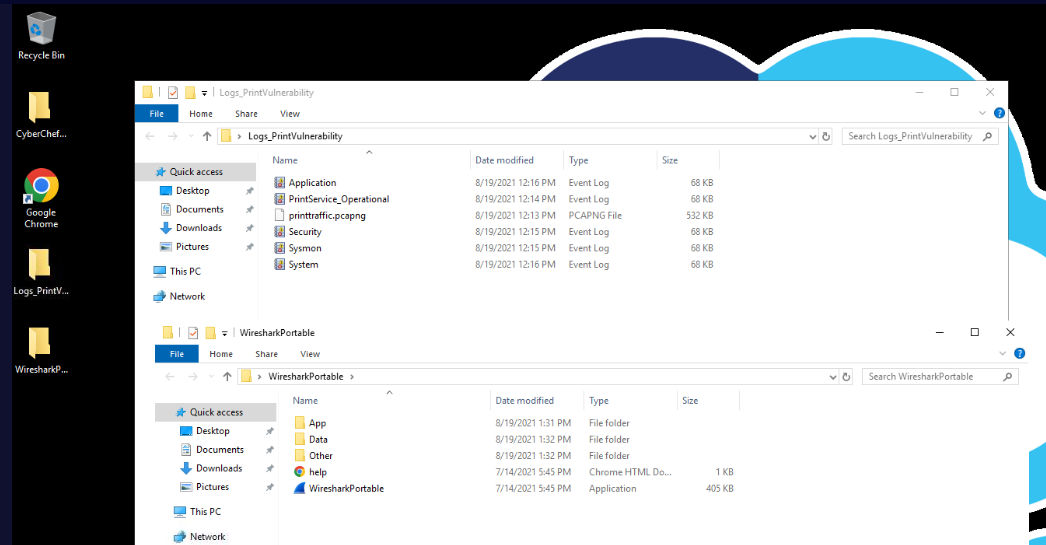
We have event logs and pcapng file within Logs_PrintVulnerability
For the tools, We have Wireshark and built-in event viewer to open these files so lets start our investigation.
Investigation
Q1) Submit the Domain name used by the red teamers for their test setup
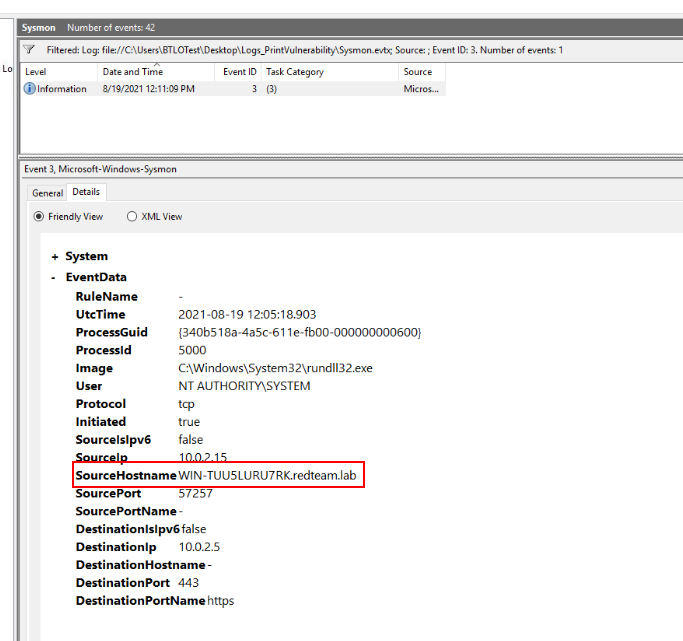
There are total of 42 events within sysmon log but there is only 1 network connection event from this sysmon which we can see that redteam was using this domain for their test setup
Answer
redteam.labQ2) From the network traffic, what is the name of the file that is transferred via SMB?
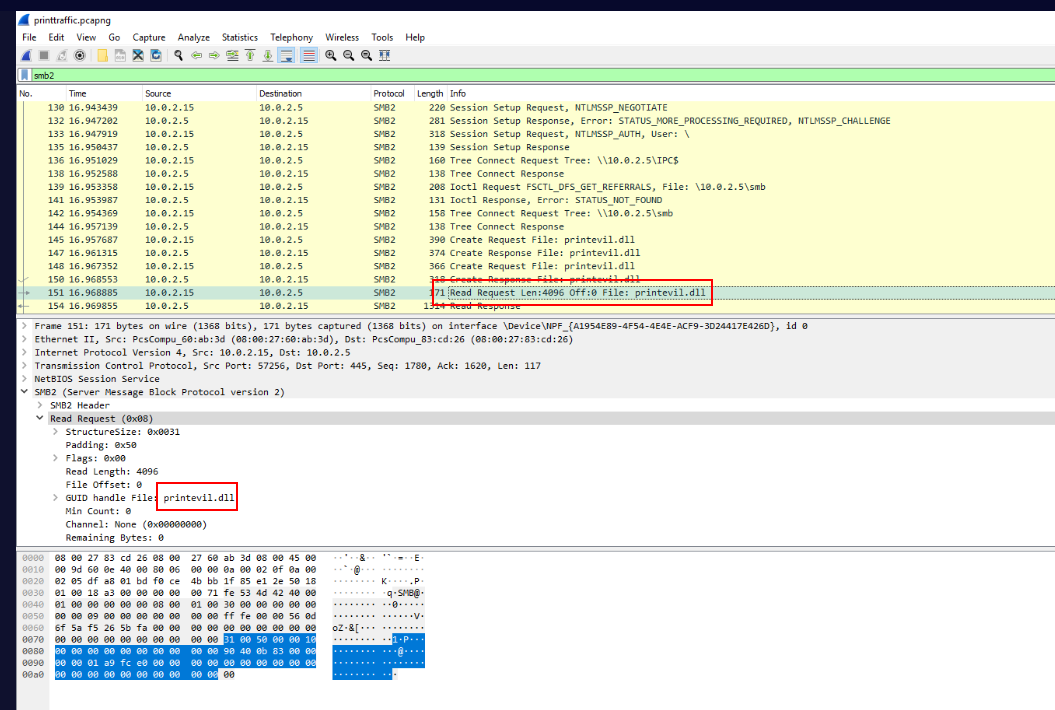
After open network traffic, we can see that Red Team used SMB to transfer this dll from their share.
Answer
printevil.dllQ3) What is the C drive location where the file from the previous question is copied?
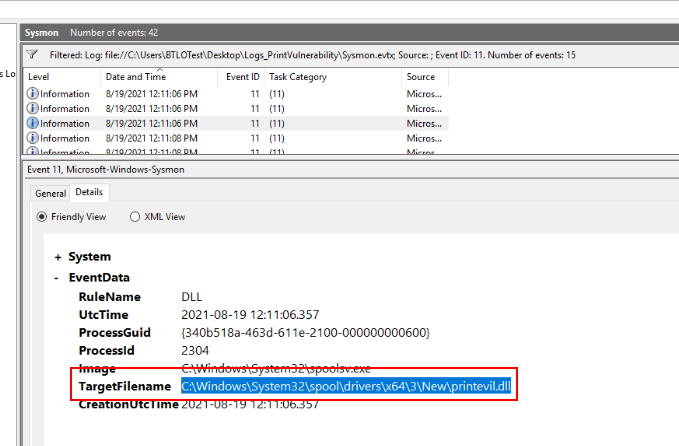
We can use event ID 11 (FileCreated) to find where the file was located/created on the system like this and this is a path well-known for PrintNightmare vulnerability which is a local privilege escalation target print spooler service running as SYSTEM.
Answer
C:\Windows\System32\spool\drivers\x64\3\New\printevil.dll Q4) What is the attacker's IP:Port for reverse shell?
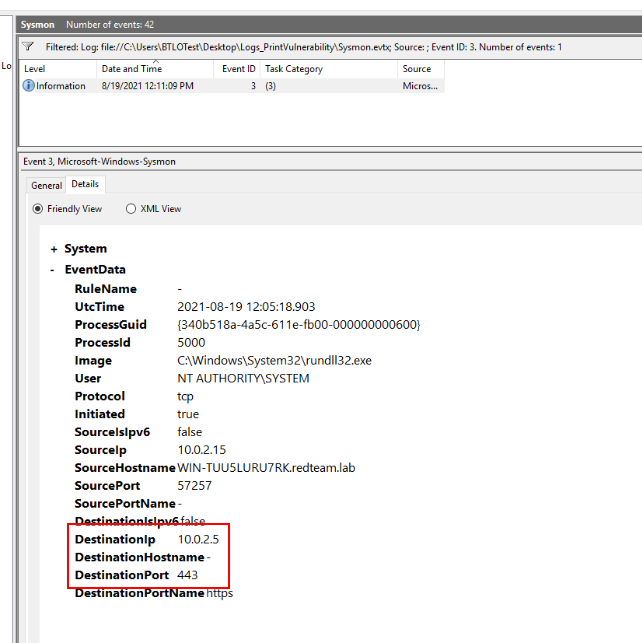
From the event ID 3, we know that the red teamer was using this IP address and port 443 for reverse shell connection which we can see that the process responsible for this connection is rundll32.exe which is lolbin used to execute dll file and the dll file that was executed is the one we found from previous question.
Answer
10.0.2.5:443Q5) Submit EventID, AccessMask, ShareName when Accountname="printuser", Sourceaddress=Attacker's IP and Relative Target Name is "spoolss"
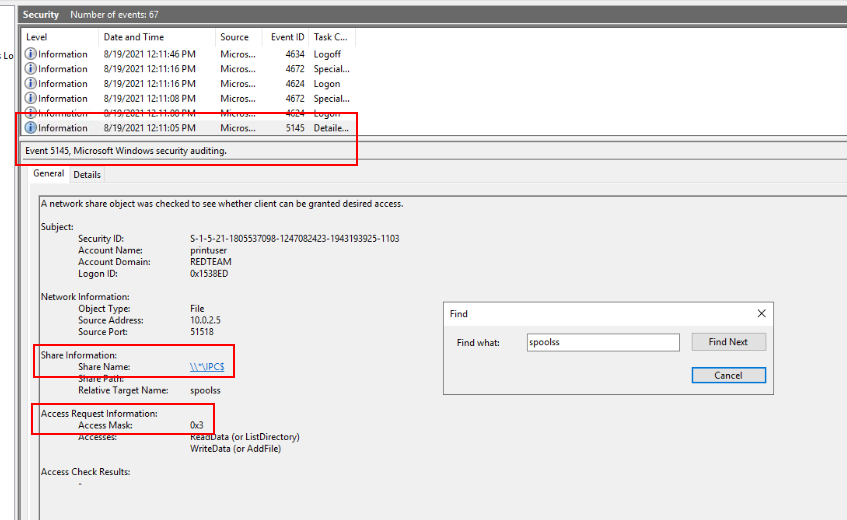
We can open Security event log in event viewer and try to find for "spoolss" process which we can see this event has all the answers we are looking for.
Answer
5145, 0x3, \\*\IPC$ Q6) Submit Parent Command Line for the process WerFault.exe
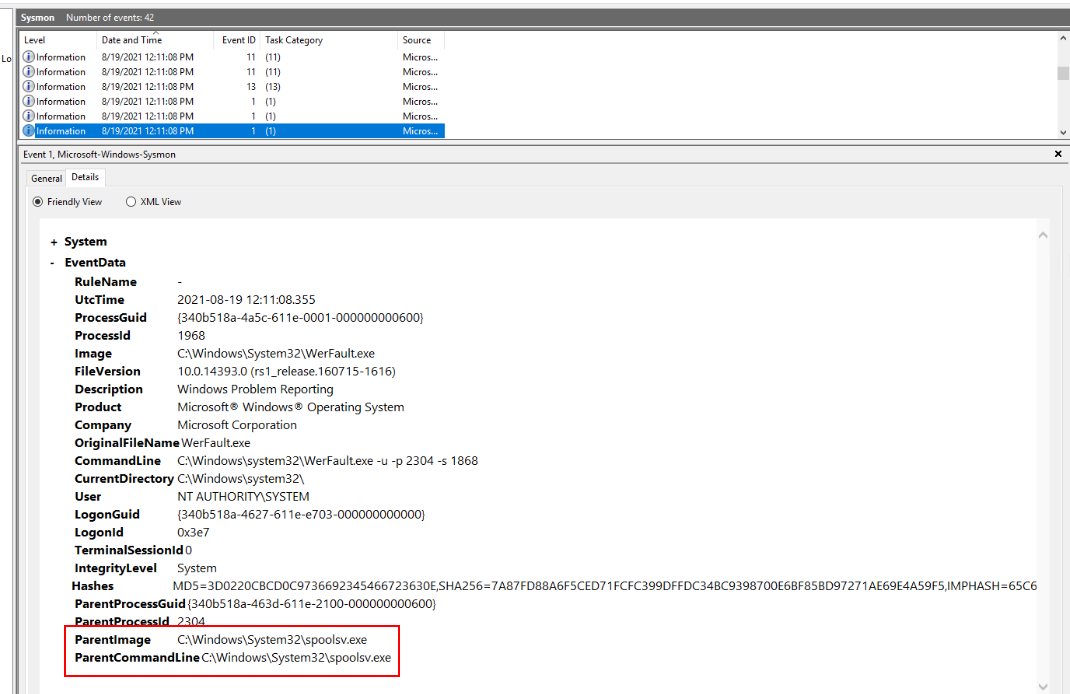
WerFault.exe is Windows Error Reporting Fault which can be used to deploy malware or create DLL with the same name as legitimate one for DLL sideloading attack but it also indicates application crash like this case.
Answer
C:\Windows\System32\spoolsv.exeQ7) After getting the reverse shell, the attacker tried the command “whoami”, what will be the output of this command? Note: whoami displays user, group, and privileges information for the user who is currently logged on
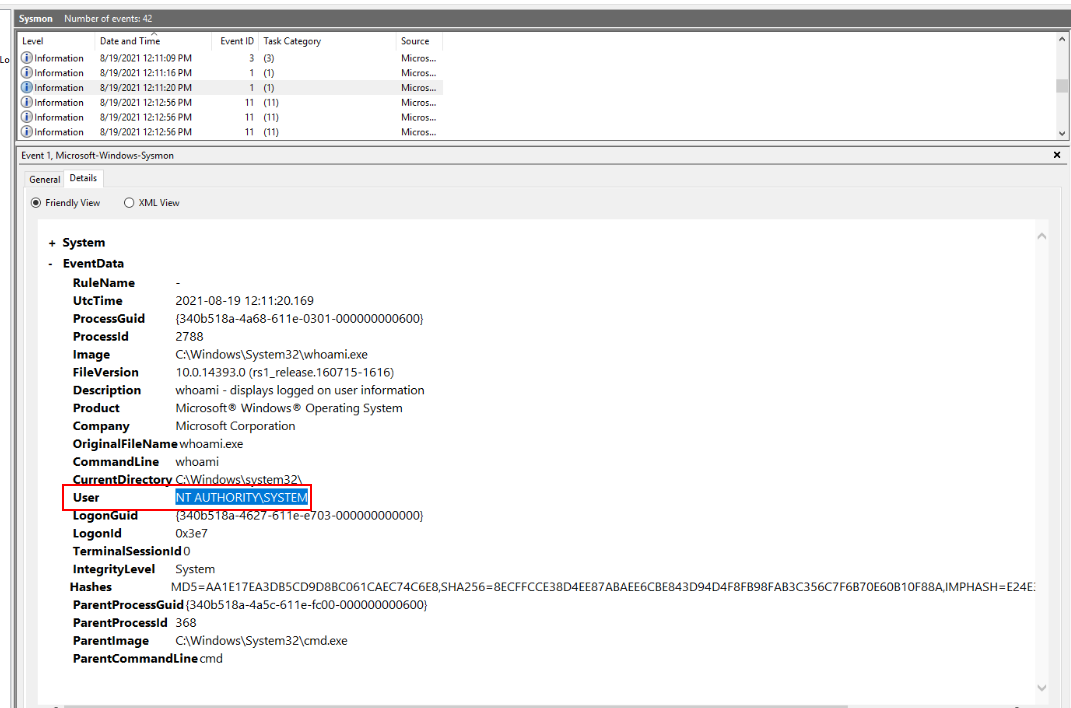
Once PrintNightmare was successfully exploited, Red teamer will have a reverse shell of NT AUTHORITY\SYSTEM
Answer
NT AUTHORITY\SYSTEM https://blueteamlabs.online/achievement/share/52929/73
Summary
Red teamer conducted a test on PrintNightmare vulnerability which is a local privilege escalation vulnerability that if success, it will result with SYSTEM privilege shell or FULL compromised on that Windows system.